
Reviews
Orb Soccer League stands out by removing the kick button entirely, turning every pass and shot into a question of speed and angle. The simple keyboard layout and round capsule characters make it approachable for families and casual players, while tournament mode adds a reason to keep playing. Local two-player support on one keyboard is a practical touch. The main limitation is that depth depends on how much you enjoy physics-driven positioning rather than traditional soccer controls.
About this game
Contact-Based Ball Control
Orb Soccer League strips away the dedicated kick button. Your only tools are movement and timing: the speed and direction you carry into the ball determine how far it travels. That single change turns every pass and shot into a small physics problem. A gentle nudge keeps possession close; a full-speed run sends the ball flying. Because you cannot press a button to shoot, you must read the ball's position and your own momentum before you commit. Jumping adds a second option. Near the goal, a well-timed jump lets your character's head redirect an airborne ball, which is often the difference between a blocked attempt and a clean finish.
Match Formats and Local Play
Orb Soccer League offers quick matches for short sessions and a tournament mode that strings multiple games together. Each tournament victory moves you closer to a championship, giving the mode a sense of progression that a single exhibition match lacks. Quick matches can be played against computer-controlled opponents or against a friend sitting at the same keyboard. The two-player setup uses separate key clusters, so both players can share one desktop without extra controllers. This structure supports both a five-minute warm-up and a longer competitive run.
Keyboard Controls and Accessibility
Single-player controls are intentionally minimal. W or the up arrow jumps, A and D (or left and right arrows) move your character, S or the down arrow performs a push action, and K or Z triggers a special move. In two-player mode, Player 1 uses W, A, S, D, and Z, while Player 2 uses the arrow keys and K. There are no complex button combinations to memorize, which means new players can start within seconds. The trade-off is that mastery comes from positioning and momentum rather than from executing difficult inputs.
Defensive Play and Positioning
Defending works differently than in traditional soccer games. Without a kick button, you cannot simply clear the ball with a press. Instead, you place your character between the ball and your goal. When the ball is behind you but not yet in the net, the safest approach is to move slowly, jump backward, and use your body as a blocker. Jumping to intercept aerial balls can prevent goals before they happen. Quick matches serve as a low-pressure place to practice these reactions, since tournament opponents tend to be less predictable.
Visual Style and Browser Performance
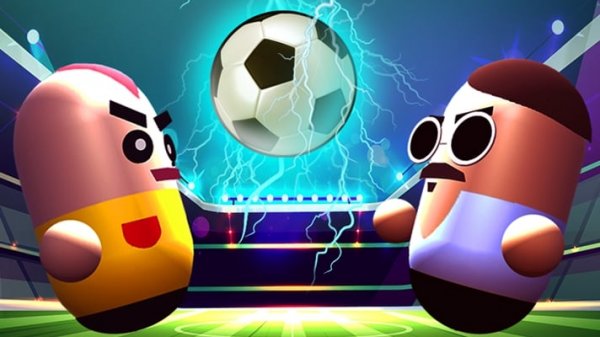
The game uses a clean, colorful look built around simple round capsule characters. That visual choice keeps attention on the ball and the players rather than on detailed graphics. Orb Soccer League runs in web browsers on desktop computers with no download or installation step. Fast loading and responsive controls mean less time waiting and more time playing, provided you have a modern browser and an internet connection.
Compatibility
FAQ
Comments
Sign in to leave a review
No comments yet.








Editorial Notes